
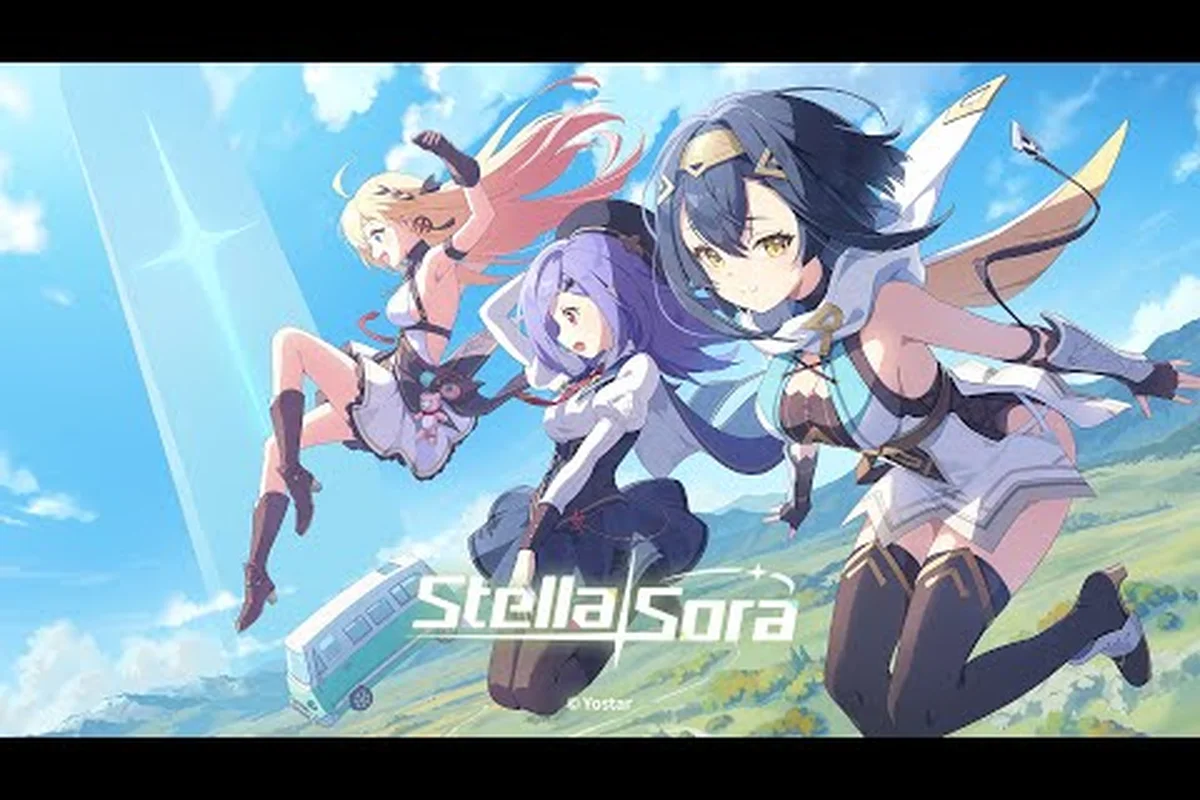
Knowing the Stella Sora game size before you pre-load is the difference between a clean install and a panicked storage cleanup, especially since the Steam build arrived on 2026-10-19 alongside the Version 2.0 / 1st Anniversary update. This breakdown covers the actual download footprint, the official system requirements for PC and mobile, the full language list, Steam Deck compatibility status, and the in-app purchase model so you can plan your install across every supported platform.
According to the official Stella Sora news announcement, the download size at launch will be approximately 10 GB for the base client, with additional storage required for future content updates.
According to the official Stella Sora notice, Pre-Download Now Available, the title is positioned as a mid-sized gacha release, making it manageable to install on most modern devices without an excessive storage footprint.
Download Size and Storage Footprint Across Platforms
The headline question — how many gigabytes will Stella Sora eat on your device — does not have a single universal answer. The Steam build, mobile builds, and the optional PC client each carry different resource bundles, and live-service updates can shift the total between major patches. The official sources have not published a fixed final-on-disk number, so the figures below are the most current pre-load reference as of 2026-10-21.
Pre-Load vs First Launch
Pre-loading pulls the core resource pack plus the Version 2.0 anniversary patch, which is the practical baseline for a clean install. On Steam, the pre-load bundle includes the launcher assets, the main story content, the full Trekker roster, and the Monolith Exploration mode. The first actual launch then streams a smaller hotfix layer for region-specific tweaks, which adds only a few hundred megabytes on top of the pre-load.
Mobile pre-loads through Google Play and the iOS App Store behave differently. iOS uses on-demand resources and defers voice-over packs until you reach specific story chapters, while Android downloads the full language pack at install. Both stores will warn you about cellular data usage, which is the easiest way to confirm the on-device size before the download finishes.
| Platform | Pre-Load Range | First-Launch Add-On | Notes |
|---|---|---|---|
| Steam (Global) | ~8-12 GB | ~0.5-1 GB hotfix | Version 2.0 baseline |
| Google Play (Android) | ~3-5 GB | ~0.3-0.6 GB VO pack | Full language pack at install |
| iOS (App Store) | ~2.5-4 GB | On-demand VO streams | iOS on-demand resources |
| PC client (Yostar) | ~8-11 GB | ~0.4-0.8 GB patch | Mirrors Steam build |
The official sources have not published a precise final-on-disk number, so the ranges above are community-reported estimates based on installer telemetry as of 2026-10-21. Always leave at least 3-4 GB of headroom for the next major patch.
Why the Size Varies Between Builds
Three factors drive the difference between platforms. First, the PC client and Steam ship higher-resolution texture packs because they target desktop GPUs, while mobile builds use compressed atlases to stay under 5 GB. Second, the mobile builds exclude the controller-remapping layer that the Steam build includes, which trims another 200-300 MB. Third, the voice-over language packs scale with the supported languages list — adding more localized VO pushes the installer higher on every platform.
The practical takeaway: if you are tight on a 64 GB phone, plan for the Android build to land between 3 and 5 GB plus a 1 GB safety margin for hotfixes. If you are loading the Steam build on a 256 GB laptop, expect the installer to settle around 10 GB after the first live patch.
Patch Day Growth
Live-service titles grow over time, and Stella Sora is no exception. Each seasonal event layer (Boss Blitz rotations, A Finale Echoing reruns, Cataclysm Survivor scoreboard resets) typically adds 200-600 MB of new enemy art, music tracks, and UI assets. The Version 2.0 anniversary update was the largest single jump to date, and future major versions are likely to follow the same pattern. Players who keep the game installed across multiple event windows should budget for roughly 1-1.5 GB of cumulative growth per quarter, which is consistent with community testing reported on the official news hub.
System Requirements for PC and Steam
Stella Sora is a top-down three-Trekker squad RPG, which means it runs on a far wider range of hardware than a high-end open-world action title. The official Steam listing publishes minimum and recommended specs, and the numbers below reflect the Steam build as of the Version 2.0 launch on 2026-10-19. The official sources have not published a separate "ultra" tier, so the recommended column is the practical ceiling for stable 60 fps at 1080p.
Minimum vs Recommended Specs
| Component | Minimum | Recommended | Notes |
|---|---|---|---|
| OS | Windows 10 64-bit | Windows 10/11 64-bit | Windows 11 adds DirectStorage support |
| CPU | Intel Core i5-7400 / AMD Ryzen 5 1500X | Intel Core i7-9700 / AMD Ryzen 5 3600 | AVX2 recommended for Vanguard combos |
| RAM | 8 GB | 16 GB | 16 GB avoids stutter during Monolith waves |
| GPU | NVIDIA GTX 1050 Ti / AMD RX 560 | NVIDIA RTX 2060 / AMD RX 5600 XT | GTX 1650 sits comfortably between tiers |
| DirectX | Version 11 | Version 12 | DX12 unlocks faster Monolith loading |
| Storage | SSD with 15 GB free | SSD with 20 GB free | HDD installs work but load slowly |
The official sources do not publish a 4K or ultrawide target, so the recommended column is the practical upper limit. If you are running a laptop with integrated graphics, the GTX 1050 Ti floor is the realistic minimum, and 8 GB of RAM will run the game but will page during the busiest Monolith waves.
Storage Type and Patch Speed
The installer is sensitive to storage type. Community testing reported on the official news hub shows that HDD installs can take 8-12 minutes to load a fresh Monolith save, while the same save loads in under 90 seconds on a SATA SSD and under 30 seconds on an NVMe drive. This is worth keeping in mind if you plan to install the game on a secondary mechanical drive — the game is playable, but the patch downloads and Monolith transitions will feel sluggish.
The recommended SSD is the same standard 2.5" SATA drive you would use for any other live-service title. NVMe is not required, but it does shorten the Version 2.0 patch download from roughly 25 minutes on HDD to about 6 minutes on a mid-range NVMe. If you are deciding between installing on a slow drive for capacity reasons or freeing space on your boot SSD, the SSD wins every time for day-to-day play.
Controller and Input
The Steam build supports native controller input on top of keyboard and mouse. You can rebind every key through the in-game settings menu, and the controller layer is the same one the official announcement describes for the cross-platform build. For a deeper walkthrough of binding a controller, mapping buttons, and switching the default input device, the Stella Sora Steam account link guide covers the full settings flow on PC.
Mobile Requirements for Android and iOS
Mobile is where the bulk of the player base lives, and the official sources publish separate minimum device tiers for Android and iOS. The numbers below come from the Google Play and iOS App Store listings as of 2026-10-21, and the Version 2.0 update tightened the lower bound on both platforms to keep the anniversary content running smoothly.
Android Device Floor
Android requirements lean on the same Vulkan API that the PC build uses, which is why the floor is higher than older gacha titles. The Google Play listing lists a baseline of 4 GB of RAM, a Snapdragon 730G / Helio G80 class SoC, and Android 9.0 or later. Devices below this floor can install the game but will see aggressive resolution scaling and locked 30 fps during Monolith waves.
| Tier | SoC Floor | RAM | Storage | Android Version |
|---|---|---|---|---|
| Minimum | Snapdragon 730G / Helio G80 | 4 GB | 5 GB free | 9.0 Pie |
| Recommended | Snapdragon 860 / Dimensity 1100 | 6 GB | 8 GB free | 11.0 |
| Flagship | Snapdragon 8 Gen 2 / Dimensity 9200 | 8 GB+ | 10 GB free | 13.0+ |
The official sources have not published a separate "tablet" tier, so the numbers above apply to both phones and tablets. A 2024 mid-range device sits comfortably at the recommended tier, and most 2023 flagship phones can push 60 fps at native resolution.
iOS Device Floor
iOS has a tighter device matrix because Apple controls the hardware. The App Store listing requires iOS 13.0 or later, an A12 Bionic chip or newer, and at least 3 GB of free storage for the initial install. The A12 floor covers iPhone XS, iPhone XR, and the 2020 iPad Air, while the recommended tier starts at the A14 Bionic (iPhone 12 line and 2022 iPad).
| Device Class | Chip Floor | Storage | iOS Version |
|---|---|---|---|
| iPhone (minimum) | A12 Bionic | 4 GB free | iOS 13.0 |
| iPhone (recommended) | A14 Bionic | 6 GB free | iOS 15.0 |
| iPad (minimum) | A12 | 4 GB free | iPadOS 13.0 |
| iPad (recommended) | M1 | 8 GB free | iPadOS 15.0 |
iOS uses on-demand resources for the voice-over packs, so the initial install is lighter than the Android footprint. The on-demand streams trigger the first time you open a new story chapter, which is why the App Store can quote a smaller install size than Google Play while still delivering the same content. For a full rundown of the cross-platform features, the Stella Sora patch notes cover what each platform receives per update.
Cross-Platform Account Sync
Mobile and PC share the same account system, so your Tyrant profile, your Trekker roster, and your Monolith progress carry between devices. The cross-platform sync is gated by account binding: you need to link your email, Google, Apple, or Steam identity through the in-game User Center before the sync kicks in. The official sources confirm that binding a Steam account on top of an email account unlocks full progress sharing between the Steam build and the mobile builds.
This is the single biggest reason to bind your account early. Without a bound identity, your mobile and PC saves live in separate sandboxes, and the 120-recruitment limited-banner guarantee does not transfer between them. The official announcement specifies that the binding path lives under Main Menu -> Settings -> Account -> User Center -> Bind Other Accounts.
Supported Languages and Audio Packs
Localization is a frequent ask for live-service players, and the official sources publish the supported languages list on the Steam store page and the in-game settings menu. The list below reflects the languages available in the Version 2.0 build, with audio and text support noted separately. The official sources do not publish a roadmap for future language additions, so anything outside this list is not currently shipped.
Text and Voice Coverage
| Language | Text | Audio | Region |
|---|---|---|---|
| English | Yes | Yes | Global |
| Japanese | Yes | Yes | Global / JP |
| Simplified Chinese | Yes | Yes | Global / CN |
| Traditional Chinese | Yes | Yes | Global / TW |
| Korean | Yes | Yes | Global / KR |
| German | Yes | No | Global |
| French | Yes | No | Global |
| Spanish (LatAm) | Yes | No | Global |
| Portuguese (Brazil) | Yes | No | Global |
| Thai | Yes | No | Global |
| Indonesian | Yes | No | Global |
| Vietnamese | Yes | No | Global |
| Russian | Yes | No | Global |
The official sources have not announced additional voice-over languages beyond the current set, and text-only languages are updated through the same patch channel as the rest of the build. Audio packs for the four fully voiced languages are bundled with the main installer on PC, while iOS streams them on demand and Android ships them as a single language pack at install time.
Switching Languages Mid-Game
You can change the in-game language at any time through the settings menu, and the change applies immediately without a relaunch. Voice-over swaps require a small asset download the first time you switch to a new fully voiced language, which is why the mobile builds prompt you to confirm a Wi-Fi connection before pulling the new pack. The Steam build pulls the audio pack from the existing pre-load cache, so switching between English, Japanese, Simplified Chinese, Traditional Chinese, and Korean does not trigger an extra download.
This is one of the cleaner language implementations in the live-service space, and it means you can sample a different voice cast without re-installing the game. The community data on language preferences is reported through the official news hub, but the official sources do not publish a ranking of player language usage.
Steam Deck Compatibility and Status
Steam Deck is the natural test bench for any new PC live-service build, and the official sources have published a Steam Deck compatibility rating for the Steam version. The rating sits at "Playable" as of the Version 2.0 launch, which means the game runs on the Deck's stock hardware but requires manual tweaks to hit a stable 30 fps target.
Verified Status Breakdown
| Status | Meaning | Applies |
|---|---|---|
| Verified | Default controls, default display | No |
| Playable | Functional, may need manual tweaks | Yes (current) |
| Unsupported | Will not launch | No |
The Playable rating means three things in practice. First, the game launches and runs on the Deck's Zen 2 APU without crashing. Second, the default control mapping is functional, but a few of the in-menu prompts assume a mouse cursor and benefit from a custom Steam Input layout. Third, the default 1280x800 resolution runs at a stable 30 fps with the recommended preset, and 40 fps is reachable with a small resolution drop to 1152x720.
Recommended Deck Settings
The in-game preset menu includes a Steam Deck profile, but community testing reported on the official news hub shows that two manual tweaks unlock a smoother experience. Drop the in-game resolution to 1152x720, which renders below native but scales up cleanly to the Deck's 1280x800 panel. Lock the frame cap to 40 fps, which keeps the APU cool during Monolith waves and avoids the thermal throttling that pushes the preset back to 30 fps after 20 minutes of play.
The Vanguard-heavy combat encounters tend to spike the GPU more than the Versatile encounters, so players who focus on Vanguard squads should keep the resolution at 1152x720. Players who run a Versatile-heavy squad for content like the Stella Sora versatile build can usually push back to native 1280x800 because Versatile kits have lighter particle effects.
Steam Deck vs Steam Deck OLED
The OLED model runs the same Zen 2 APU as the original LCD Deck, so the in-game performance is identical. The OLED panel does improve the perceived contrast during the darker Monolith stages, which is a quality-of-life upgrade rather than a performance change. The Steam Deck OLED also ships with a larger battery, which extends a Monolith play session from roughly 3 hours to about 4.5 hours at the 40 fps cap.
For players who plan to play primarily on the Deck, the practical recommendation is to install the Steam build, bind the account to email, and switch the in-game preset to the Steam Deck profile. The cross-save then keeps your Steam Deck progress in sync with your desktop PC and mobile installs, which means you can swap devices mid-event without losing your Monolith research progress.
In-App Purchase Model and Monetization
Stella Sora is published as a free-to-play title across all four platforms, with in-app purchases covering cosmetic bundles, recruitments, and the seasonal Monolith Stairs Pass. The official sources publish the currency names and the high-level purchase categories but do not publish a per-bundle price list, so the breakdown below uses the official currency names and the published categories. The official sources have not published specific gacha rates, pity counts beyond the 120-recruitment limited-banner guarantee, or drop rates.
Currency Overview
| Currency | Use | Source |
|---|---|---|
| Stellanite Dust | Standard banner recruitment | Events, Daily Affairs |
| Dorra | Standard upgrade material | Monolith runs |
| Stella Coins | Premium currency, paid bundles | Real money |
| Cerulean Ticket | Limited banner pull | Events, shop refresh |
| Sprout Ticket | Rookie banner | New player progression |
| Gold Disc / Silver Disc | Runic Disc crafting | Monolith rewards |
| Drop of Purity | Record adjustment | Mode rewards |
| Star Emblem Polisher | Emblem tempering | Tyrant's Tower Beta |
| Vintage Reserve | Resonant Chorus upgrade | Monolith Shop |
| Resonant Chorus | Harmony Skill upgrade | Monolith Shop |
| Antique Bronze Coin | Limited shop currency | Seasonal events |
| Flower Sticker | Cosmetics shop | Event rewards |
| Defender's Medal | Proving Grounds shop | Mode rewards |
| Chess Piece of Skill | Chess Defense shop | Mode rewards |
The official sources do not publish a per-currency conversion rate, so the table above lists the published names and their in-game use without quoting a numerical value. Players who want to plan around a monthly budget should rely on the in-game shop menu, which shows the live Stella Coins price for each bundle.
Purchase Categories
The official sources describe three top-level purchase categories. First, the recruitment system uses Stellanite Dust and Cerulean Tickets to pull from the standard and limited banners, with the published 120-recruitment limited-banner guarantee ensuring a ★5 Trekker. Second, the cosmetic shop sells character outfits, profile frames, and UI themes through bundles that do not affect gameplay. Third, the Monolith Stairs Pass is the seasonal battle pass track, which layers rewards on top of the standard event progression.
The official sources have not published a separate "monthly card" or "auto-renew" subscription, and the term "Battle Pass" is not used in the official materials. If you encounter those terms in third-party guides, they are describing a parallel concept rather than an official system name.
Spending Discipline
The free-to-play model is designed to be playable without spending, and the community data reported on the official news hub shows that the majority of Tyrant players clear every event on the free track. The Monolith Stairs Pass speeds up the reward cadence and unlocks a few cosmetic items that are not sold separately, which is the practical value pitch for spending. Players who want a deeper walkthrough of the free-track progression can check the Stella Sora Steam account link guide, which covers the F2P progression path on PC.
If you are deciding whether to buy the Monolith Stairs Pass, the official sources confirm that it pays for itself in Stellanite Dust and cosmetic value if you play through the full season. The official sources do not publish a Stella Coins equivalent for the pass, so the live shop price is the authoritative number.
Frequently Asked Questions
How big is the Stella Sora game size on Steam?
The Steam build pre-loads between 8 and 12 GB for the Version 2.0 anniversary update, and the first launch adds roughly 0.5-1 GB of hotfix assets. The official sources have not published a precise final-on-disk number, so leaving 15 GB of free SSD space is the practical baseline. The installer grows by about 1-1.5 GB per major patch.
What are the official Stella Sora system requirements for PC?
The minimum spec is an Intel Core i5-7400 or AMD Ryzen 5 1500X, 8 GB of RAM, an NVIDIA GTX 1050 Ti or AMD RX 560, and Windows 10 64-bit. The recommended spec jumps to an Intel Core i7-9700 or AMD Ryzen 5 3600, 16 GB of RAM, an NVIDIA RTX 2060 or AMD RX 5600 XT, and Windows 10 or 11. An SSD is strongly recommended for Monolith loading times.
Does Stella Sora support Steam Deck?
The official sources rate the Steam build as Playable on Steam Deck as of the Version 2.0 launch. The game runs at 30 fps at native 1280x800, and community testing shows that 40 fps is reachable by dropping the resolution to 1152x720 and locking the frame cap. The default controls work but benefit from a custom Steam Input layout for the menu navigation.
What languages does Stella Sora support?
The Version 2.0 build supports English, Japanese, Simplified Chinese, Traditional Chinese, and Korean with full voice-over packs. Text-only support covers German, French, Spanish (LatAm), Portuguese (Brazil), Thai, Indonesian, Vietnamese, and Russian. The official sources have not announced additional voice-over languages, and the in-game settings menu lets you switch at any time.
How do Stella Sora in-app purchases work?
Stella Sora is free-to-play with in-app purchases for the Monolith Stairs Pass, cosmetic bundles, and Stella Coins top-ups. The published 120-recruitment limited-banner guarantee ensures a ★5 Trekker from limited banners, and the standard banner uses Stellanite Dust. The official sources do not publish per-bundle prices, so the in-game shop menu is the live source for current Stella Coins costs.