
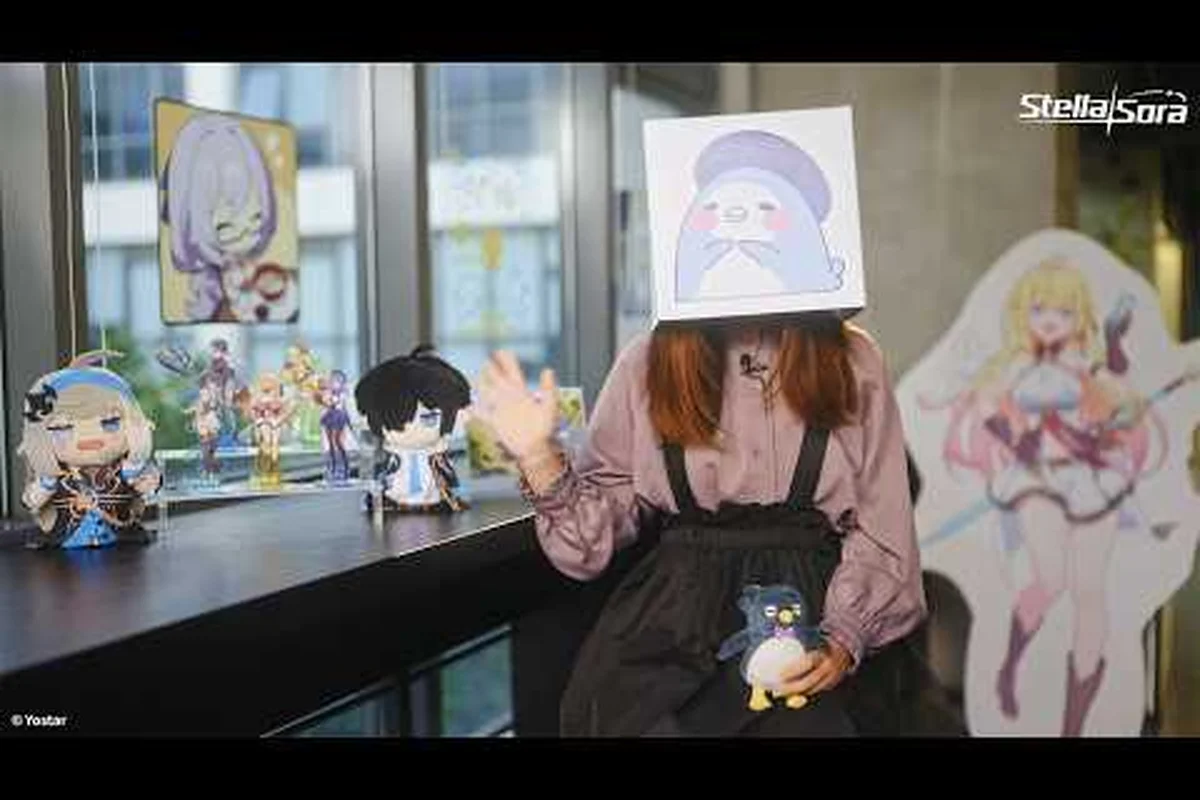
Version 2.0 is the biggest milestone since the global rollout: the Steam build goes live on the same day, Record Adjustment opens a new progression branch, and a fresh anniversary event arc lands alongside balance changes. The latest Stella Sora patch notes also touch mobile purchases, daily tasks, and a handful of squad-combat bugs. Below is the full summary, with a side-by-side look at what differs between the Steam client and the mobile build.
Version 2.0 Highlights and the Anniversary Event Arc
Version 2.0 ships on 2026-10-19 and lines up exactly with the first anniversary of the global launch. The headline additions are a new Trekker profile, the Record Adjustment system, a Steam client, and the anniversary story chapter, with smaller quality-of-life changes rolling in across menus, the shop, and the squad-combat loop.
| Update area | What changed in 2.0 | Who it affects |
|---|---|---|
| Record Adjustment | New system unlocked at Lv. 21+ that refines Record stats | Mid- and late-game Tyrants |
| Steam client | New PC platform with cross-platform data sync | PC players new to the title |
| Anniversary arc | Limited story chapter with anniversary rewards | All Global server players |
| New Trekker | One additional profile added to the roster | Squad-build planners |
| Daily tasks refresh | Daily Affairs tasks retuned, faster clears | All account levels |
The new Trekker joins the existing 29-profile lineup, so roster coverage expands but does not replace any existing character. The anniversary chapter is structured as a story-first event with a short run of stages, and the event window is published in UTC-7 inside the in-game notice panel; the in-game date is always authoritative if the patch notes and the banner disagree. The official Steam news hub is the single source of truth for the PC build, and the in-game notice panel carries the same summary for mobile players tracking stella sora patch notes.
New Trekker Profile and Squad Implications
The newest Trekker enters the same ★5 / ★4 rarity bands already in the game, and the official site lists roles as Vanguard or Versatile only. Because no class labels from other gacha games (DPS, support, tank, healer) are published, treat role descriptions as Vanguard or Versatile when planning the squad. Players building a 3-Trekker squad should bench-test the new profile in Quick Battle before locking it into harder content like the Tyrant's Tower Beta or Chess Defense.
Anniversary Event Cadence and Reward Track
The anniversary chapter runs on a short schedule and uses a typical login + stage-clear reward track, with the currency listed as Cerulean Ticket and Sprout Ticket during the window. Resource names map to the existing roster: stamina is Vigor, premium currency is Stella Coins, and the gacha-adjacent currency is Stellanite Dust. The official sources have not published a gacha rate, a pity count, or a drop rate for any of these currencies, so treat any number you see on third-party trackers as unverified.
Steam Release: New PC Client at a Glance
The Steam client opened on 2026-10-19, paired with the Version 2.0 update. Steam is not a separate game: the same global server powers the build, and the same account data carries over when the binding is set up correctly. The official Steam listing uses AppID 4813850 and is published by YOSTAR HONG KONG LIMITED (Yostar Games), the same publisher handling the mobile builds.
| Steam feature | Official behavior |
|---|---|
| Cross-platform sync | Works when the account is bound to email / Google / Apple / Steam |
| Login methods | Email, Google, Apple, and Steam account login |
| Server restriction | JP / KR / CN / TW accounts cannot sign in to the Steam (Global) build |
| Payment | Steam Wallet only on Steam; item prices match the other platforms |
| Account binding path | Main menu → top-right Menu → Settings → Account → User Center → Bind Other Accounts |
This binding path is important because it is also how mobile players link a Steam account if they decide to switch platforms later. The published binding flow uses the same User Center menu on every platform, so the steps above are the canonical sequence. For a deeper walkthrough of the binding flow and the controller settings, the Steam account link guide covers the steps end to end.
Hardware, File Size, and System Requirements
The Steam client ships with the same content set as mobile, so storage needs are comparable. The official sources have not published exact system requirements numbers for the Steam build, and the game size and requirements hub tracks what the launcher actually reports on disk. If you are targeting Steam Deck specifically, treat the official page as the source of truth; the publisher has not published a verified Deck status as of the patch date.
Cross-Platform Save and Server Region Lock
Cross-save is supported, but it is gated by the account-binding step. If you launch Steam without first linking an existing email, Google, or Apple account, the client creates a fresh profile on the Global server, and progress from a previous mobile save will not appear. The same lock applies to JP, KR, CN, and TW accounts, which the official FAQ flags as unable to sign in to the Global Steam build at all. The maintenance cadence and the compensation rules are explained in the cross-platform and maintenance guide, and that hub is the right place to look when the servers go down for a Version 2.0 hotfix.
Record Adjustment and Note Adjustment: New Progression Branch
The flagship system in this update is Record Adjustment, which opens at Authorization Level 21+ and runs alongside the existing Note Adjustment system. Both are mid- to late-game sinks, and both rely on Musical Notes and Elemental Notes rather than raw level grinding. The official published caps are: unassigned Notes max 15, a single Note 0–99, and unassigned Potentials max 5; values outside that range are not supported by the live build.
| System | Unlocks at | Resource used | Soft cap | Hard cap |
|---|---|---|---|---|
| Record Adjustment | Lv. 21+ | Musical Notes, Elemental Notes | 15 unassigned Notes | 99 per single Note |
| Note Adjustment | Mid-game | Notes, Potentials | 5 unassigned Potentials | Defined per slot |
| Potential Presets | Lv. 21+ | Same Record pool | Preset slot count published in-game | Not officially listed |
| Emblem Tempering | Mid-game | Star Emblem Polisher | Tier published in-game | Not officially listed |
Record Adjustment is positioned as a long-term optimization layer because it changes stat values, not the Record itself. Players chasing leaderboard positions in Ascension or the Chaotic difficulty bracket usually treat Record Adjustment as a mandatory step after they finish their core Runic Disc setup. A deeper breakdown of the Disc pool lives in the Runic Disc guide, which lists the named Discs and their Harmony Skill archetypes.
Runic Disc and Harmony Skill Pairings
Records are built from Runic Discs, each carrying a Disc Skill and a Harmony Skill. The official roster of named Discs includes titles like My Guiding Star, Eternal Brilliance, Bedtime Story, Wisteria Dream, Petals of Blooming Mirage, and Sunlit Blossom, and the full set is published in the in-game library. Elemental pairing matters: the six published elements are Aqua, Ignis, Terra, Ventus, Lux, Umbra, and same-element team building is the only officially documented team archetype — there is no cross-element reaction table.
Potential Presets and Squad Swaps
Potential Presets were added in a prior patch and now snap into the new Record Adjustment flow, which means squad swaps in modes like Boss Blitz or Menace Arena cost less downtime. Emblem Tempering and Emblem Reforging also feed into the same stat budget, with Star Emblem Polisher as the official tempering resource. None of these systems publish exact damage multipliers, so treat community-screenshots of damage numbers as player-reported only.
Combat, Modes, and Balance Changes
Version 2.0 also retunes combat and the rotating mode roster. The official mode list published in the news hub is the source of truth here, and it includes Monolith Exploration, Ascension, Menace Arena, Boss Blitz, A Finale Echoing, Through Hostile Depths, Cataclysm Survivor, Tyrant's Tower Beta, Proving Grounds, Summit Show, Chess Defense, Speed & Wheels, and Fatebound Stellar Deck. Not all of them are open in every patch window.
| Mode | What 2.0 changes | Suggested squad prep |
|---|---|---|
| Ascension | Score thresholds rebalanced for top brackets | Run a same-element squad with finished Records |
| Chess Defense | Stage pool refreshed for the S5 season | Re-check weakness windows for the new bosses |
| Speed & Wheels | Timer rules tightened, partial clears now reward less | Stack Vigor efficiency and Vigor-restoring Potentials |
| Boss Blitz | Weakness rotation expanded to two elements per slot | Read Enemy Vulnerability panel before locking the squad |
| Tyrant's Tower Beta | Floor rewards increased for late floors | Bring your highest-Authorization-Level squad |
Difficulty bands remain on the published ladder: Normal, Hard, Extra Hard, Ultimate, Beyond, Chaotic, and these are the only difficulty names the official sources use. The leaderboard and high-difficulty guide walks through what each band demands from a Records-and-Discs build, and that hub is where the Beyond and Chaotic brackets are documented in detail.
Enemy Vulnerability and Squad Planning
Each combat stage publishes an Enemy Vulnerability panel naming two elements at a time, and the squad should match at least one of those. The official sources have not published a full counter matrix, so do not expect a Vanguard hard-counters Ignis style table — that pattern does not appear in the news hub. Treat the stage's vulnerability panel as the only authoritative reference, and rotate your squad based on the two elements listed.
Auto-Battle, Vigor, and Daily Affairs
Vita Autopilot is the official name for the auto-battle system, and Version 2.0 also expanded the Autopilot Plan options so players can pre-set the squad behavior for repeated Monolith Exploration runs. Vigor remains the stamina resource, and Daily Affairs tasks were retuned so a typical daily clear takes less wall-clock time while paying out the same Dorra totals. Quick Battle speed-ups still consume Vigor at the same rate, and the Token economy around the Token Supply system is unchanged.
Mobile Updates, Shop Tweaks, and Quality-of-Life Fixes
The mobile clients pick up most of the same content but get a few platform-specific tweaks. In-app purchase flows stay on Google Play or the iOS App Store, while Steam routes all payments through the Steam Wallet, and the official FAQ confirms item prices match across platforms. There is no separate "Steam edition" pricing tier.
| Platform | Payment path | Item price parity | Login methods |
|---|---|---|---|
| Steam (Global) | Steam Wallet only | Matches mobile | Email, Google, Apple, Steam |
| Google Play | Google Play billing | Matches Steam | Email, Google, Apple, Steam |
| iOS | Apple App Store billing | Matches Steam | Email, Google, Apple, Steam |
| PC client | Same as mobile | Matches Steam | Email, Google, Apple, Steam |
Note that JP, KR, CN, and TW accounts cannot sign in to the Steam (Global) build at all, so the parity table only applies inside the Global region. The official FAQ is the only published reference for that region lock, and it is the one to cite if you run into a login error after binding.
Bug Fixes, UI Polish, and Localization
Version 2.0 ships a long bug-fix list, and the official news hub groups them by area rather than publishing a numbered changelog. The most visible fixes are:
-
Squad AI no longer drops combo chains when the Vita Autopilot is enabled on Tyrant's Tower Beta floors.
-
Heartlink affinity screens load faster and no longer reset when the player swaps the active Trekker.
-
The Monolith Shop properly shows the remaining Vintage Reserve stock at the time of purchase.
-
Through Hostile Depths no longer double-counts waves when a squad wipes on the boss floor.
-
The Cataclysm Survivor reward summary matches the actual payout, fixing a long-standing display mismatch reported by players.
Localization coverage is broader on Steam because the Steam client loads the same language pack list as mobile, but Steam Deck verified status is not officially published, and the launcher is the source of truth for what is supported. The supported-language list is the one the publisher puts on the official news hub, and it does not list any new locales in 2.0.
Redeem Codes and Time-Limited Drops
The official site confirms a redeem system exists, with an online redemption page plus an in-game Menu → Redeem Code entry point. As of the patch date, however, the official sources have not published a list of publicly verifiable codes, and no code string is currently active. Codes, when they exist, are distributed through limited-time events and developer streams rather than a standing code list, so any "Stella Sora codes" page you see on third-party sites should be treated as unverified until the in-game banner confirms it.
How to Read the 2.0 Patch Notes as a Returning Player
For a returning player, the 2.0 update touches three layers at once: the platform layer (Steam), the progression layer (Record Adjustment), and the content layer (anniversary chapter plus mode refreshes). A practical read order is to clear Daily Affairs first, spend the new Cerulean Ticket currency before the event window closes, then slot into the Record Adjustment flow once you reach Lv. 21+ with spare Musical Notes in the bag.
| Player goal | First action in 2.0 | Why |
|---|---|---|
| Bind an old mobile save to Steam | Run the User Center binding flow before launching | Prevents a duplicate Global profile |
| Catch up on the new Record system | Clear Monolith Exploration for Dorra and Vintage Reserve | Feeds Note Adjustment |
| Push the leaderboard in Ascension | Re-run Potential Presets against the new Record Adjustment | Avoids stat loss on swap |
| Build a same-element squad | Pick two ★5 Trekkers sharing one element | Matches the only published team archetype |
| Plan a Runic Disc set | Pull from the named Disc pool in the library | Avoids off-list Discs that the official roster does not name |
If you only have time for one section of the patch notes, focus on the Record Adjustment and Note Adjustment caps, because those define how far your squad can scale inside the current build. The official sources do not publish a level cap, so treat any "max level" figure from third-party sites as community-reported.
Frequently Asked Questions
When did the Steam version of Stella Sora launch?
The Steam version launched on 2026-10-19, the same day Version 2.0 shipped, with the Global server carrying over from the mobile release that opened on 2025-10-19. The official Steam AppID is 4813850 and the publisher is YOSTAR HONG KONG LIMITED (Yostar Games).
What is new in Stella Sora Version 2.0?
Version 2.0 adds the Record Adjustment progression system (unlocked at Lv. 21+), the Steam client, a new Trekker profile, and the anniversary story chapter with Cerulean Ticket and Sprout Ticket rewards. It also retunes Daily Affairs, refreshes multiple mode pools, and ships a long list of combat and UI bug fixes.
Can I link my mobile account to the Steam version?
Yes, when the account is bound to email, Google, Apple, or Steam through the User Center menu. The official binding path is Main menu → top-right Menu → Settings → Account → User Center → Bind Other Accounts, and binding must be completed before you launch the Steam client to avoid creating a duplicate Global profile.
Are there any official Stella Sora redeem codes right now?
The redeem system is live, with an online redemption page and the in-game Menu → Redeem Code entry point, but the official sources have not published a publicly verifiable code string. Codes are typically handed out during time-limited events and developer streams, and the in-game notice is the authoritative reference.
What are the main differences between the Steam version and the mobile build?
The Steam client runs on the same Global server, supports cross-platform save when the account is bound, and routes all payments through Steam Wallet at the same item prices as mobile. The platform itself only adds a Steam-account login option and the same User Center binding flow, while the JP / KR / CN / TW regional accounts cannot sign in to the Steam (Global) build at all.